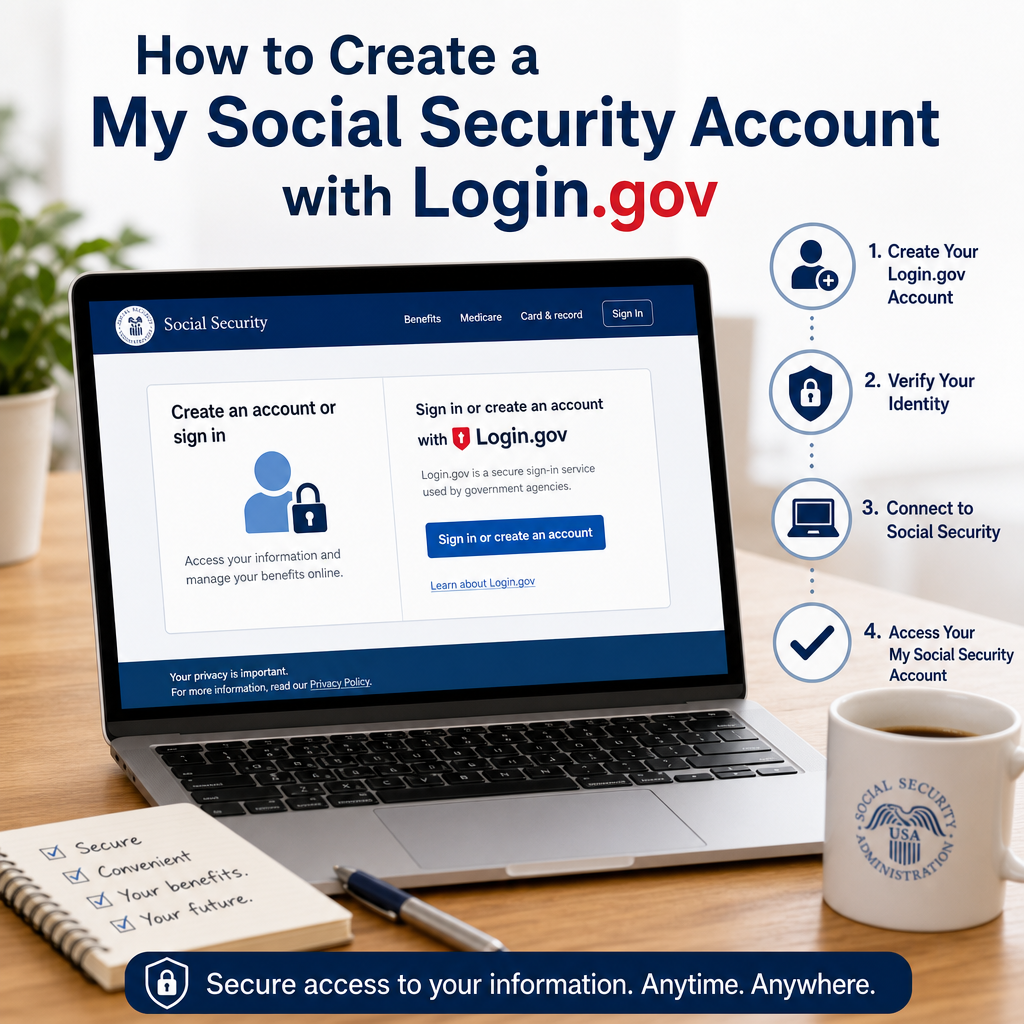
How to Create a My Social Security Account with Login.gov
Creating a my social security account with Login.gov gives you secure, convenient access to your Social Security information online. In just a few simple steps, you can set up your account and manage key tasks without the hassle of phone calls or office visits.
By: Emilly Adams on July 24, 2026
Creating a My Social Security account with Login.gov is one of the easiest ways to securely access your Social Security information online. Whether you want to view your earnings record, estimate future benefits, check the status of an application, or request a replacement Social Security card in some cases, having an online account can save time and reduce the need to visit or call the Social Security Administration.
If you’re new to the process, the setup can feel a little confusing at first because it involves both My Social Security and Login.gov. The good news is that the steps are straightforward once you understand how the two systems work together. In this guide, you’ll learn what Login.gov is, why it matters, how to create your account, and how to avoid common mistakes along the way.
What Is a My Social Security Account?
A My Social Security account is your personal online portal for accessing Social Security services. Through this secure account, you can manage important tasks without waiting on hold or visiting an office.
Depending on your situation, you may be able to:
Review your Social Security Statement
Estimate retirement, disability, or survivor benefits
Check application status
Get proof of benefits letters
Update direct deposit information for benefits
Request a replacement Social Security card in eligible situations
The account is free to create and use. For most people, it is the fastest way to keep track of Social Security information in one place.
The Social Security Administration uses Login.gov to strengthen account security. Login.gov is a secure sign-in service used by many federal agencies. It helps protect your personal information with modern authentication methods such as:
Password protection
Multi-factor authentication
Security codes sent by text, authentication app, or other approved methods
Using Login.gov adds an extra layer of protection beyond a simple username and password. That matters because Social Security records contain highly sensitive personal information, and online security is essential.
What You Need Before You Start
Before you create a My Social Security account with Login.gov, gather a few things to make the process smoother.
Basic Information
You’ll usually need:
Your Social Security number
A valid email address you can access immediately
A phone number for verification
A strong password you don’t use elsewhere
Identity Verification Documents
In some cases, you may also need identity verification information such as:
A driver’s license or state ID
A U.S. passport
Other personal information tied to your credit file or records
The exact verification steps can vary depending on your circumstances and the methods available at the time you sign up.
A Device You Can Access
You can create your account using:
A computer
A smartphone
A tablet
If possible, use a private device and a secure internet connection rather than public Wi-Fi.
How to Create a My Social Security Account With Login.gov
The process usually takes only a few minutes if your information is ready. Here’s a simple step-by-step breakdown.
Step 1: Go to the Official Social Security Website
Start at the official Social Security Administration website and look for the My Social Security sign-in or account creation page. Make sure you are on a legitimate government website before entering personal information.
This is important because phishing scams often mimic official pages. A real federal website will generally use a .gov domain.
Step 2: Choose the Option to Sign In or Create an Account
When you begin the process, you’ll be prompted to sign in or create an account using Login.gov.
If you don’t already have a Login.gov account, select the option to create one. If you already have one, you may be able to connect it to Social Security more quickly.
Step 3: Enter Your Email Address
Login.gov uses your email address as the starting point for account creation. Use an email account you check regularly and that you can keep long term. Avoid using a work email if you might lose access later.
You’ll usually receive a confirmation email. Open it and follow the instructions to verify your address.
Step 4: Create a Strong Password
Choose a password that is:
Long
Unique
Hard to guess
Not reused from another account
A strong password should not include obvious personal details such as your birthday, name, or address.
Step 5: Set Up Multi-Factor Authentication
This is one of the most important parts of the process. Login.gov requires an additional verification method to help secure your account. Common options include:
Text message codes
Authentication app codes
Phone call verification
Security key, if you use one
For most users, an authentication app is a strong and reliable choice. Text messages are convenient, but if you change phone numbers often, an app may be easier to manage long term.
Step 6: Verify Your Identity
To connect your Login.gov account with Social Security, you may need to verify your identity. This step helps confirm that you are really the person creating the account.
Identity verification may involve:
Answering questions based on your personal history
Uploading documents
Confirming details from government records
Follow the prompts carefully. If the system cannot verify you online, you may need to complete verification through another method.
Step 7: Return to Social Security and Finish Setup
After Login.gov verification, you’ll be directed back to the Social Security website. From there, complete the final steps to activate your My Social Security account.
Once setup is complete, you should be able to sign in and access your account whenever you need it.
Common Problems and How to Fix Them
Even though the setup is simple, a few issues can slow people down. Here are some of the most common ones.
You Can’t Access Your Email
If you can’t open the email linked to your account, you may not be able to complete verification. Use an email address you control and can access immediately.
The Verification Code Doesn’t Arrive
If you selected text message verification and the code doesn’t come through:
Check your signal
Confirm your phone number is correct
Wait a few minutes and request another code
Make sure your device isn’t blocking messages
Your Identity Can’t Be Verified Online
Sometimes Login.gov may not be able to verify your identity electronically. If that happens, follow the instructions provided. You may need to use another verification method or contact support for help.
You Forgot Your Password
If you forget your Login.gov password, use the password reset option. Avoid creating a new account unless the instructions tell you to do so.
You Changed Phone Numbers
If you change your number after setting up multi-factor authentication, update your Login.gov security settings as soon as possible. Otherwise, you may be locked out when you try to sign in.
Tips for Keeping Your Account Secure
Once your account is active, a few habits can help protect it.
Use a Strong, Unique Password
Don’t reuse passwords across multiple sites. If one account is compromised, reused passwords make other accounts more vulnerable.
Keep Your Authentication Method Current
If you change phones, email addresses, or devices, update your security settings promptly.
Watch for Phishing Attempts
Be careful with emails or texts that ask you to click unfamiliar links or provide personal information. Always go directly to the official website rather than clicking suspicious messages.
Sign Out on Shared Devices
If you use a shared or public computer, always sign out completely when you’re finished.
What You Can Do After Creating Your Account
After you create a My Social Security account with Login.gov, you can start using it to manage your information more efficiently.
Here are a few practical examples:
A worker nearing retirement can review estimated monthly benefits before deciding when to claim
A current beneficiary can check benefit details without mailing forms
Someone applying for benefits can track progress online
A person reviewing their earnings history can spot possible reporting errors earlier
That kind of access can help you make smarter decisions and catch issues sooner.
Who Should Create a My Social Security Account?
Most adults who want access to their Social Security information online should consider making an account. It can be especially useful if you:
Plan to apply for retirement soon
Want to monitor your earnings history
Need access to benefit documents
Prefer managing records online instead of by phone
Want faster access to Social Security tools and updates
Even if you are years away from retirement, setting up the account early can make future planning easier.
No. Login.gov is the secure sign-in service, while My Social Security is the account that gives you access to your Social Security information. You use Login.gov to create and sign in to your Social Security account.
2. Is it free to create a My Social Security account with Login.gov?
Yes. Creating and using a My Social Security account is free. Login.gov is also free to use.
3. What if I already have a Social Security online account?
If you already have an account, you may need to sign in using the current process and connect it to Login.gov if required. Follow the official instructions on the Social Security website rather than trying to create duplicate accounts.
4. Can I create the account on my phone?
Yes. You can usually create your My Social Security account with Login.gov on a smartphone, tablet, or computer. Just make sure you can access your email and receive verification codes on the device you use.
5. What should I do if I get locked out of my account?
If you are locked out, use the account recovery or password reset options on Login.gov first. If you still can’t regain access, follow the help instructions provided on the official website. Avoid creating multiple accounts, since that can cause more problems.
Creating a My Social Security account with Login.gov is a practical way to take control of your Social Security information and reduce the hassle of managing tasks by mail or phone. Once your account is set up, you can quickly check earnings records, estimate benefits, review application updates, and access important documents from a secure online portal.
The key is to use the official website, follow each verification step carefully, and choose security settings that you can manage long term. A strong password, reliable multi-factor authentication, and attention to phishing scams go a long way toward keeping your information safe.
If you’re planning for retirement, monitoring your work record, or simply want easier access to your benefits information, setting up your account now can save time later. With the right steps, the process is manageable and well worth the effort.
Emily A, holds a Master's degree in Public Administration (MPA) and has over 7 years of experience researching federal and state assistance programs. She writes educational content focused on government benefits, public policy, and community resources, using information from official agencies to help readers understand available programs and eligibility requirements.