How to View Tax Records and Payments in Your IRS Online Account
Learn how to quickly check your tax records, payment history, and balance in your IRS Online Account—all in one secure place. This guide shows you how to find the information you need and manage your taxes with less hassle.
By: Mary Smith on July 25, 2026
Managing your taxes is much easier when you can see everything in one place. If you’ve ever wondered how to view tax records and payments in your IRS Online Account, the good news is that the IRS gives taxpayers a secure way to access important information anytime. Whether you want to confirm a payment, check a balance, retrieve a tax transcript, or review notices, your online account can save time and reduce stress.
This guide explains what you can see, how to log in, and how to use the IRS Online Account effectively. It also covers common issues, practical tips, and answers to frequently asked questions so you can confidently manage your tax information.
What Is an IRS Online Account?
An IRS Online Account is a secure portal that lets eligible taxpayers access personal tax information from the Internal Revenue Service. It is designed to help you check records without waiting on hold or calling the IRS for basic details.
Through your account, you may be able to:
View your balance due
See payment history
Access tax records and transcripts
Review certain IRS notices
Check information about Economic Impact Payments or advance Child Tax Credit, when available
Make or schedule payments
The IRS Online Account is especially useful if you want a quick way to verify what the IRS has on file. It is not a full copy of every tax document, but it does provide a useful snapshot of your account activity.
How to View Tax Records and Payments in Your IRS Online Account
To view tax records and payments in your IRS Online Account, you first need to sign in and then navigate to the sections that show transcripts, payment history, and account details. The process is straightforward, but it helps to know what to expect before you start.
Step 1: Sign in to Your IRS Online Account
Go to the official IRS website and sign in using your IRS Online Account credentials. If you do not have an account yet, you will need to create one first.
To set up your account, be ready with:
Your email address
A mobile phone capable of receiving verification codes
Your Social Security number or Individual Taxpayer Identification Number
A photo ID for identity verification
A financial account number, such as a credit card, mortgage, auto loan, or student loan, if required for verification
The IRS uses identity verification steps to help protect taxpayer information.
Step 2: Open the Tax Records Section
Once you are logged in, look for the area labeled tax records, tax transcripts, or related account services. This section can help you view the information the IRS has associated with your tax account.
Depending on what is available for your account, you may see:
Wage and income transcripts
Tax return transcripts
Account transcripts
Verification of non-filing letters
Notices and letters
Prior-year tax record details
If you need to confirm what was filed or check IRS processing status, the transcripts section is often the most helpful place to start.
Step 3: Review Your Payment History
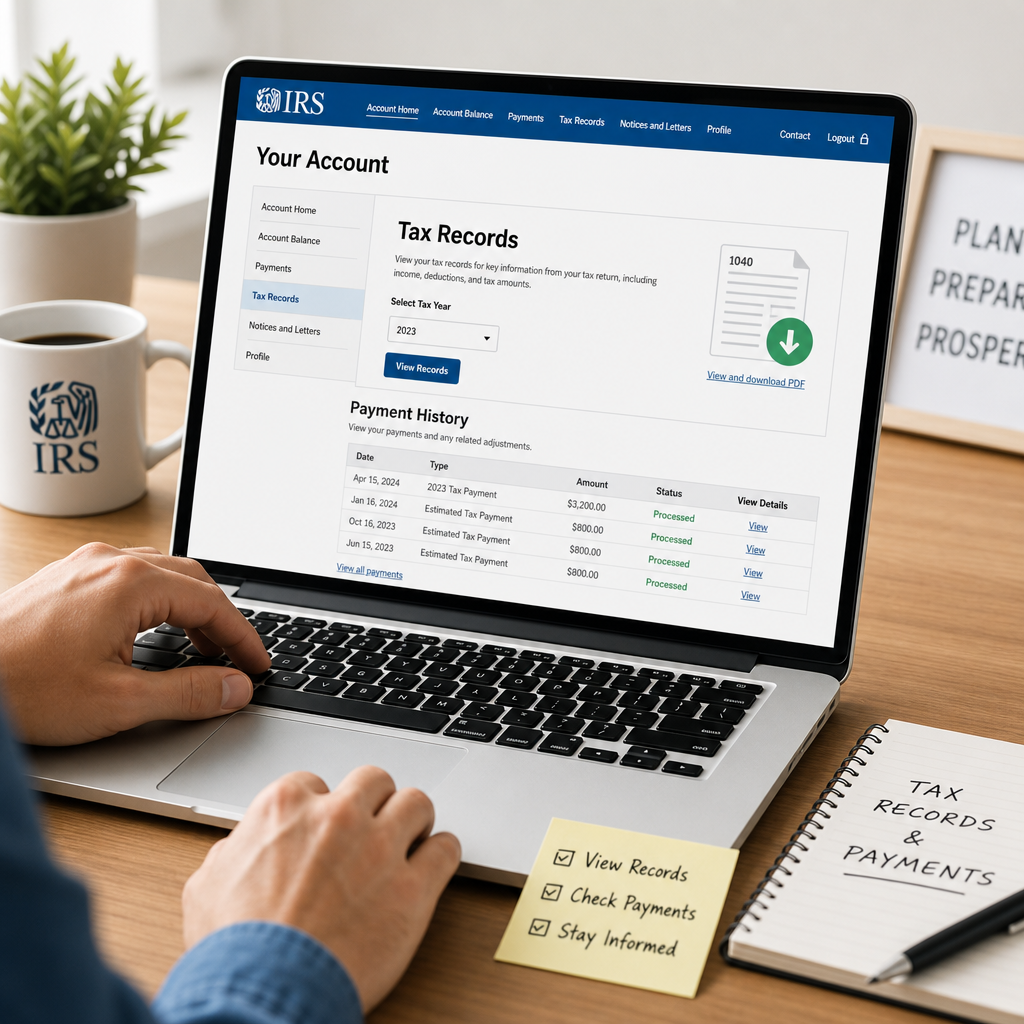
To see payments, go to the section that lists account balances, payments, or recent activity. This area may show:
Payments you made online
Estimated tax payments
Direct debit payments
Applied refunds
Pending or scheduled payments
Outstanding balances and penalties, if any
This can be especially useful if you want to confirm that a payment was received and applied correctly.
Step 4: Download or Print Records if Needed
If the IRS gives you access to a transcript or record, you may be able to download or print it for your files. Keeping a copy is helpful when you are:
Preparing a tax return
Responding to a lender or financial institution
Verifying payment history
Working with a tax professional
Always store downloaded tax documents securely, since they contain sensitive personal information.
What Tax Records Can You See?
The IRS Online Account does not show every piece of tax information, but it does offer several key records that most taxpayers find useful.
Tax Transcripts
Tax transcripts summarize information from your return or IRS account. They are often used for:
Mortgage applications
Student loan verification
Loan underwriting
Filing amendments
Checking filing history
The main types include:
Return Transcript: A summary of the tax return you filed
Account Transcript: Information about your account activity, such as payments and adjustments
Record of Account Transcript: A combination of return and account details
Wage and Income Transcript: Data reported by employers and financial institutions, when available
Notices and Letters
Your account may also show certain IRS notices or letters. This can help you review important communication without searching through old mail.
Tax Balance and Adjustments
You may see your current balance, any changes to that balance, and recent updates posted to your account. This is useful if you are making installment payments or want to monitor whether the IRS has processed a correction.
What Payment Information Can You See?
When you want to view tax records and payments in your IRS Online Account, the payment section is often one of the most practical features. It can help you track what you paid and when.
Common Payment Details
You may be able to view:
Date a payment was made
Payment amount
Payment method
Tax year the payment was applied to
Remaining balance after the payment
Scheduled payments
Direct debit enrollment details, if applicable
Why Payment History Matters
Payment history is helpful when you need to:
Confirm a payment cleared
Check whether a payment was applied to the correct tax year
Resolve a notice showing a balance you thought was already paid
Organize records for tax planning
Provide documentation to a tax preparer or financial institution
If you made a payment but it does not appear right away, allow time for processing. Bank transfers and IRS posting times can differ.
How to Use IRS Tax Records for Common Tasks
Your IRS Online Account can support several everyday tax needs. Here are a few practical examples.
Checking Whether a Refund Was Issued
If you are waiting for a refund, your account may help you verify whether your return was processed and whether the refund was issued. This can be more efficient than relying on guesswork or old paperwork.
Verifying an Estimated Tax Payment
Self-employed taxpayers and people with income not subject to withholding often make quarterly estimated tax payments. Your online account can help you confirm whether those payments were posted correctly.
Preparing to File a Return
Before filing, you may want to check prior-year transcripts or payment information so you can:
Confirm last year’s adjusted gross income
Review estimated payments
Match IRS records with your own files
Reduce filing errors
Responding to a Notice
If the IRS sends you a letter about a balance or filing issue, the online account can help you review your records and understand the account activity behind the notice.
Tips for Accessing Your IRS Online Account Safely
Because your tax data is sensitive, security matters. Use these best practices whenever you log in.
Protect Your Login Information
Use a strong, unique password
Do not share your account credentials
Avoid logging in on public Wi-Fi when possible
Sign out after each session
Keep your email and phone number updated
Watch for Scam Websites
Only use the official IRS website. Phishing sites can look convincing and may try to steal your personal details.
Keep Your Device Secure
Update your operating system and browser
Use antivirus software if appropriate
Lock your phone and computer
Do not save tax files in unsecured folders
A secure approach helps ensure your IRS Online Account remains a reliable tool, not a risk.
Common Problems and How to Fix Them
Even a good system can run into hiccups. Here are a few common issues and what to do about them.
You Cannot Verify Your Identity
If identity verification fails, check whether:
Your personal details were entered correctly
Your credit history information is current
Your mobile number can receive text messages
Your ID documents are valid and readable
If you still cannot complete the process, you may need to use another IRS verification method or contact the IRS for assistance.
A Payment Is Missing
If a payment you made does not appear, consider:
Whether enough time has passed for processing
Whether the payment was sent to the correct tax year
Whether you paid through a bank, IRS payment portal, or another method
Whether the payment confirmation number matches your records
Keep your receipt or confirmation page until you know the payment has posted.
A Transcript Is Unavailable
Sometimes transcripts are not immediately available, especially if the IRS is still processing a return. If that happens, check back later or review whether the return has been accepted and posted.
The Balance Looks Wrong
If the balance in your account seems off, compare the IRS information with your own records. Look for:
Unposted payments
Penalties or interest
Math corrections
Unapplied estimated tax payments
Duplicate notices
If necessary, contact the IRS or a qualified tax professional for help.
When to Use an IRS Online Account Instead of Calling
Your IRS Online Account is a convenient first stop for many routine tax questions. It is often faster than waiting for a phone agent, especially if you need basic information like:
Payment status
Account balance
Transcript access
Notice history
That said, some situations may still require direct help from the IRS or a tax professional, such as:
Identity theft concerns
Complex account errors
Collection notices
Amended return issues
Missing payments that need manual review
Using the online account first can help you gather facts before making a call.
Best Practices for Staying Organized
If you check your IRS account often, a little organization goes a long way.
Keep a Simple Tax Folder
Store items such as:
Filed tax returns
IRS notices
Payment confirmations
Downloaded transcripts
Correspondence with your tax preparer
Review Your Account Periodically
You do not need to log in every week, but periodic checks can help you stay ahead of issues. Many taxpayers review their account:
After filing a return
After making an estimated payment
After receiving an IRS notice
Before applying for a loan
Before filing next year’s return
Match IRS Records With Your Own
If you keep personal records, compare them with what appears in your online account. This can help catch errors early and make tax season easier.
Frequently Asked Questions
How do I view tax records and payments in my IRS Online Account?
Log in to your IRS Online Account, then visit the tax records, transcript, or payment sections. There you can review account history, payment details, balances, and available transcripts. If a record is not listed yet, the IRS may still be processing it.
What tax records can I see in my IRS Online Account?
You may be able to see return transcripts, account transcripts, wage and income transcripts, verification of non-filing letters, and certain IRS notices. The exact records available depend on your account status and what the IRS has processed.
How long does it take for a payment to show up in the IRS Online Account?
Posting times vary by payment method. Some online payments appear faster than mailed payments or bank transfers. If your payment is recent, give it time to process before assuming there is a problem. Keep your confirmation number until the payment appears.
Can I download my IRS transcripts?
Yes, if the transcript is available in your account, you can usually view, download, or print it for your records. Make sure to store it securely because it contains personal and financial information.
Is the IRS Online Account safe to use?
Yes, the IRS Online Account is designed to be secure and uses identity verification to protect taxpayer data. For added safety, use the official IRS website, avoid public Wi-Fi when possible, and keep your password and device secure.
Knowing how to view tax records and payments in your IRS Online Account can make tax management far less stressful. Instead of searching through paper files or waiting on hold, you can access useful information such as transcripts, payment history, account balances, and certain IRS notices in one secure place. That kind of visibility helps you verify payments, prepare future returns, respond to IRS notices, and stay organized throughout the year.
The key is to use the account regularly and securely. Log in through the official IRS website, review your records after important tax events, and keep copies of any documents you may need later. If something looks incorrect, compare the online information with your own records and act quickly to resolve it.
A little attention now can prevent confusion later. Whether you are a first-time user or simply want a better way to track your tax information, your IRS Online Account is a valuable tool for staying informed and in control of your federal tax records.
Mary S, CFP®, is a Certified Financial Planner with over 12 years of experience in personal finance, retirement planning, and wealth management. She writes educational content that helps readers understand financial concepts and make informed decisions based on reliable information.